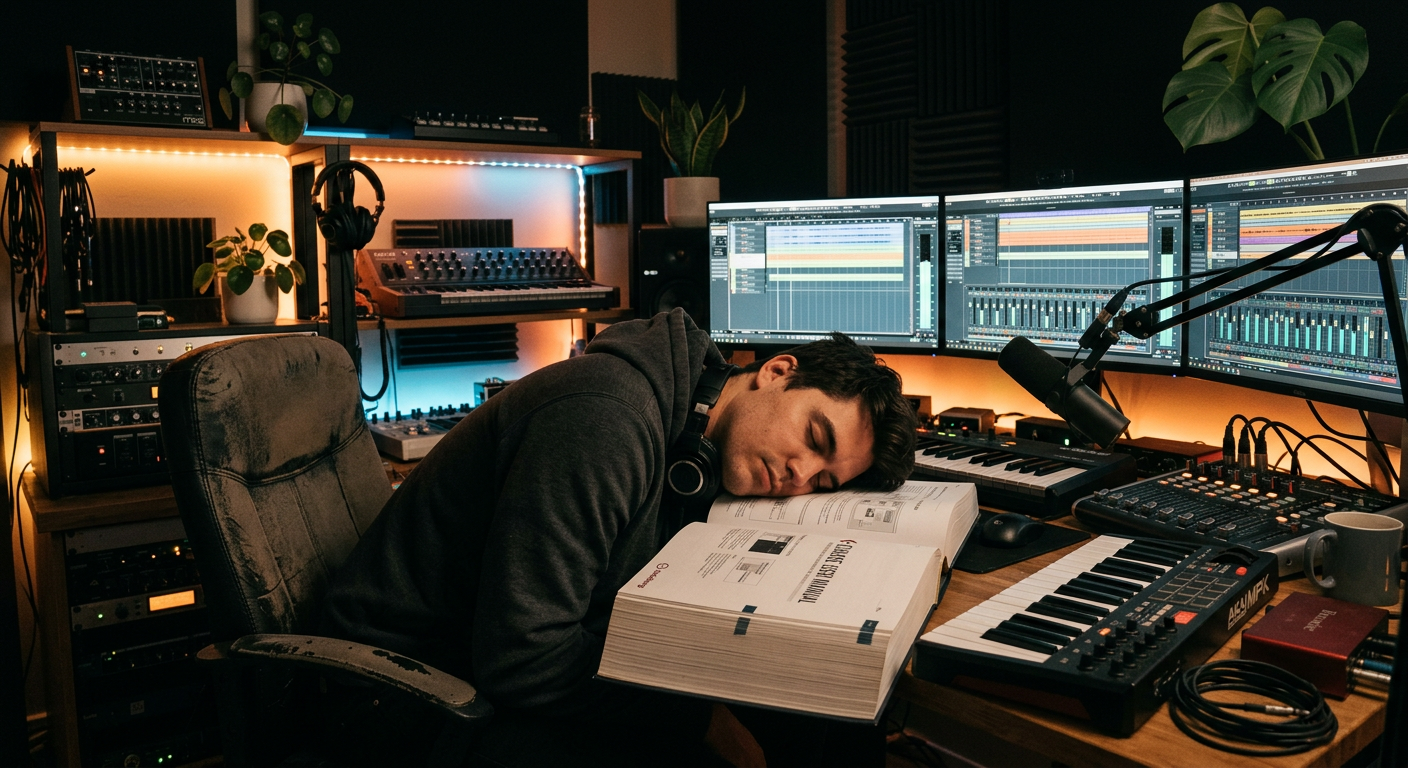
Stop alt-tabbing
to the manual.
Recue overlays instant help on your DAW.
Search any topic. Get shortcuts, tips, and tutorials. Stay in the flow.
Windows & macOS · One email at launch. No spam.
Your DAW has 3,000 controls. You know maybe 200.
Every DAW is packed with knobs, sliders, buttons, and menus. Most users never explore half of them — not because they're lazy, but because there's no easy way to find out what they do without leaving the app.
The manual is a 600-page PDF. YouTube tutorials are 20 minutes for one feature. Forum answers are buried in threads from 2019. There should be a faster way.
Everything you need to know, without leaving your session.
Search & Find
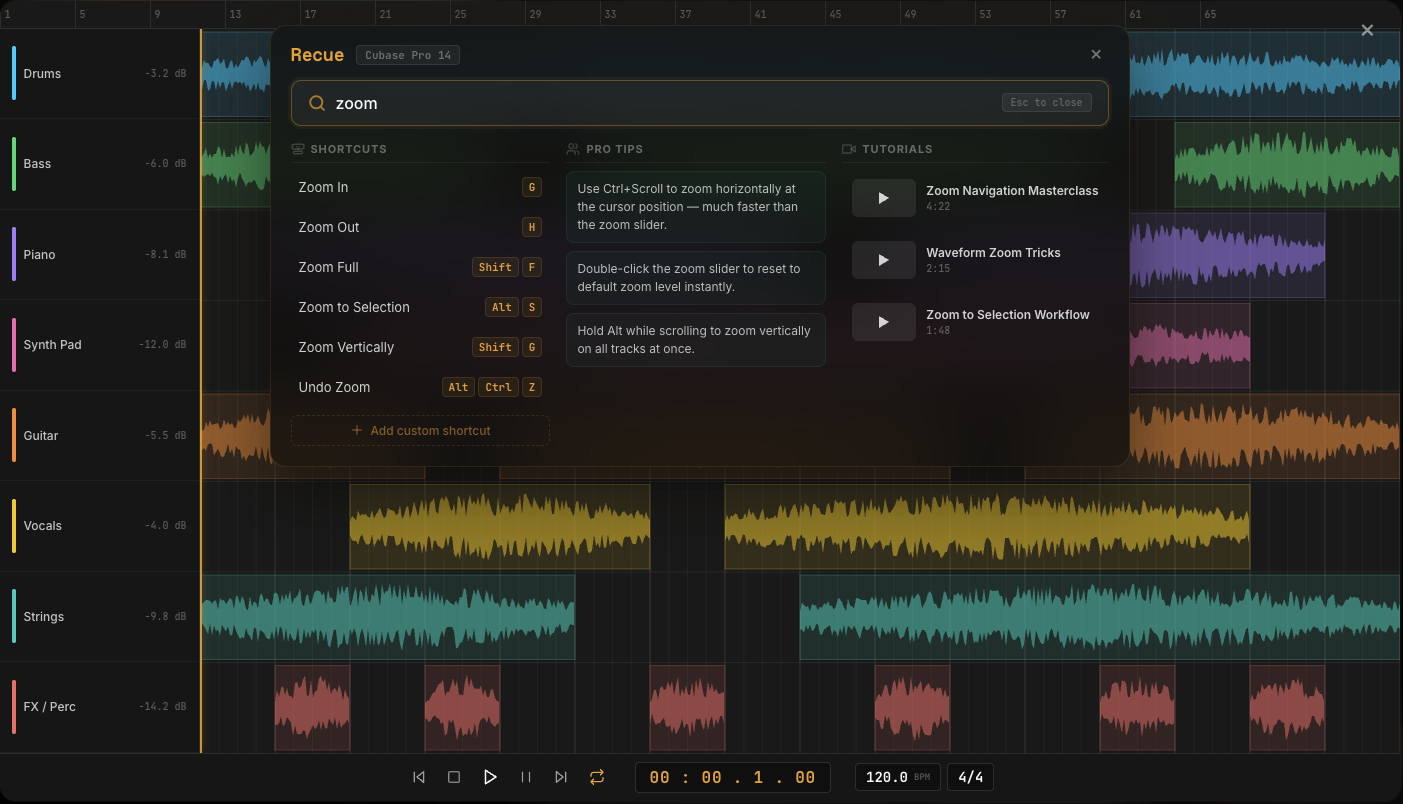
Press Space, type any keyword — “zoom”, “sidechain”, “export”. Get shortcuts, tips, and tutorials instantly. No more digging through 600-page manuals.
Shortcuts at a Glance
Every search shows the keyboard shortcuts for your specific DAW. Cubase shortcuts, Logic shortcuts, Ableton shortcuts — all in one place, always up to date.
Any DAW
Cubase, Studio One, Reaper, Logic, Ableton, Pro Tools — Recue ships with help content for all major DAWs out of the box.
Non-Intrusive
Space to open, Space to close. Recue floats on top of your DAW. Your session stays exactly where it was. No plugins, no modifications.
Pro Tips
Community-contributed tips from experienced producers. “Set your compressor ratio to 4:1 for vocals” — practical advice, not manual jargon.
Video Tutorials
Curated tutorial links for every topic. Short, focused videos that answer your question — not 45-minute walkthroughs you have to scrub through.
Join the waitlist
Be the first to know when Recue launches.
- Windows & macOS
- All major DAWs supported
- One email at launch. No spam.
Everything you need to know.
What is Recue?
Recue is a standalone help overlay for creative software. Press Space to open a search panel on top of your DAW. Type any topic — zoom, sidechain, export, MIDI — and get keyboard shortcuts, pro tips, and curated video tutorials instantly. No alt-tabbing, no manual digging.
Which DAWs does Recue work with?
Recue ships with help content for Cubase, Studio One, Reaper, Logic Pro, Ableton Live, and Pro Tools. It detects which DAW is running and shows the right shortcuts and content for that specific DAW.
Does Recue work on Mac and Windows?
Yes. Recue runs on Windows 10 and later, and macOS 12 (Monterey) and later. Both Intel and Apple Silicon Macs are supported natively.
How do I use Recue?
Install it, open your DAW, press Space. A search panel appears on top of your DAW. Type what you need — “zoom”, “compressor”, “bounce” — and get instant answers in three columns: shortcuts, pro tips, and video tutorials. Press Space again to close.
Is there a free trial?
Yes. Recue offers a free 7-day trial with full functionality. No credit card required. No account required. Download and start using it immediately.
How much does Recue cost?
Recue is a one-time purchase at 4.99€ during the launch period (regular price 7–9€). No subscription. All future updates and new help content are included.
Does Recue slow down my DAW?
No. Recue runs as a lightweight standalone overlay. It does not hook into your DAW, does not modify any files, and does not inject code into the DAW process. It sits quietly until you press Space.
Can I add my own tips?
Yes. Recue includes a community content system where users can submit tips for any topic. Community tips are moderated for accuracy and appear alongside official content.
You shouldn't need a manual to use your own tools.
Recue is coming soon. Get notified when it launches.
Join the waitlistOne email at launch · No spam
Built for people who learn by doing.
"I've used Cubase for 8 years and I still discover controls I didn't know existed. Recue should have existed from day one."
— Cubase user, Steinberg Forums"I'd rather spend 5 minutes in my DAW than 20 minutes watching someone explain one button on YouTube. This is how help should work."
— Producer, Reddit r/musicproduction"Space, type 'sidechain', done. Shortcut, pro tip, and a 2-minute video. Why isn't this built into every DAW?"
— Home studio user, KVR Audio